English | 简体中文
PCB Fabrication and SMT Assembly
Use the OSHW project to fabricate the required boards. See parts and assembly for the board list. This guide uses the STM32 controller as an example; check other boards against their own designs.
1. Open the design and export
Select the target board under “设计图” (designs), click “在编辑器中打开” (open in editor), then choose “导出 → PCB/FPC 一键打样” (Export → PCB/FPC prototyping). Review the DRC results, export Gerbers, BOM, and placement files, and continue to ordering.
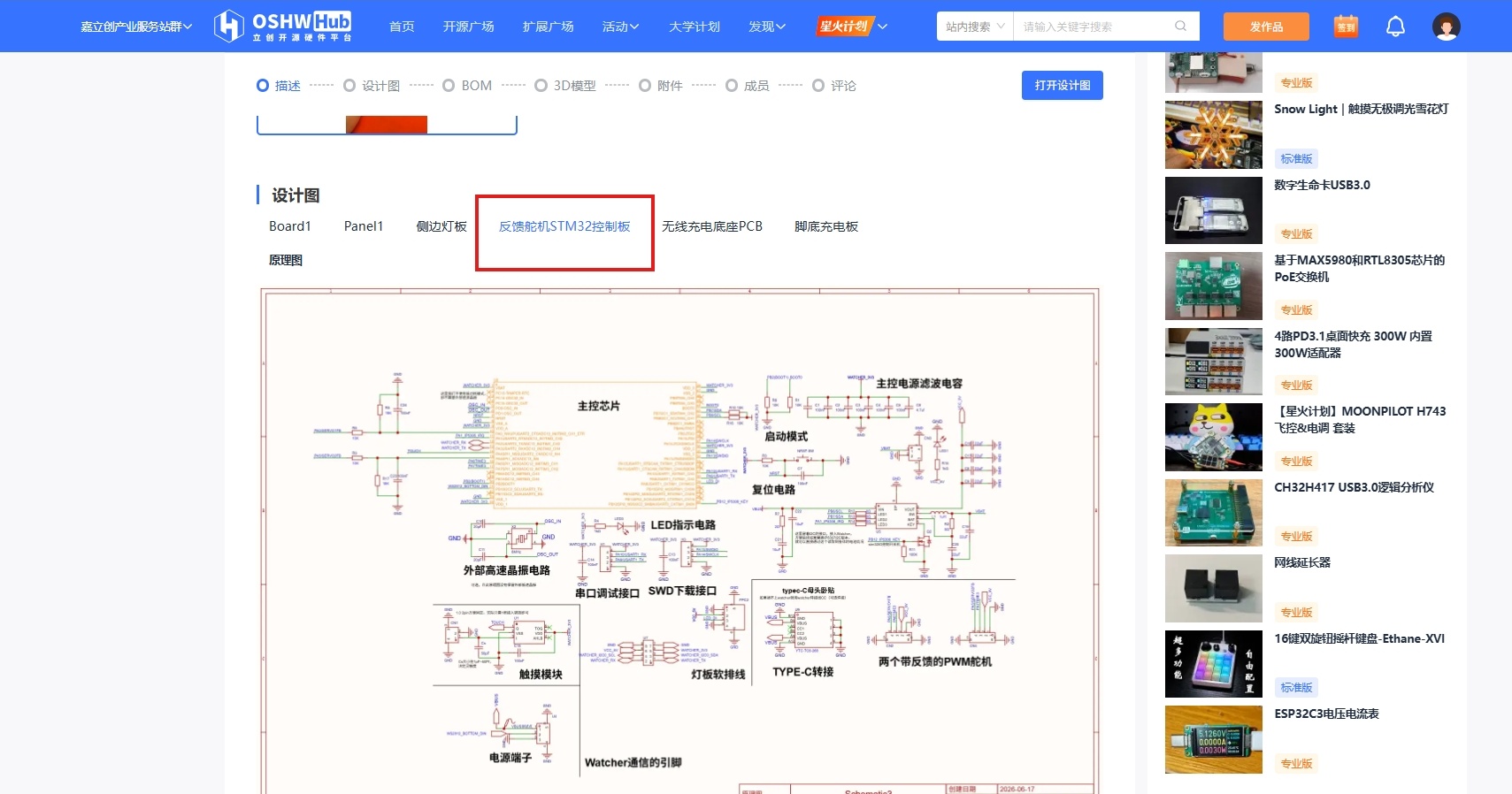
2. Order PCBs
Check the outline, dimensions, layers, and thickness. The example below uses FR-4, 2 layers, 1.2 mm, and 5 boards. Choose the quantity you need; do not apply these settings to other boards automatically.
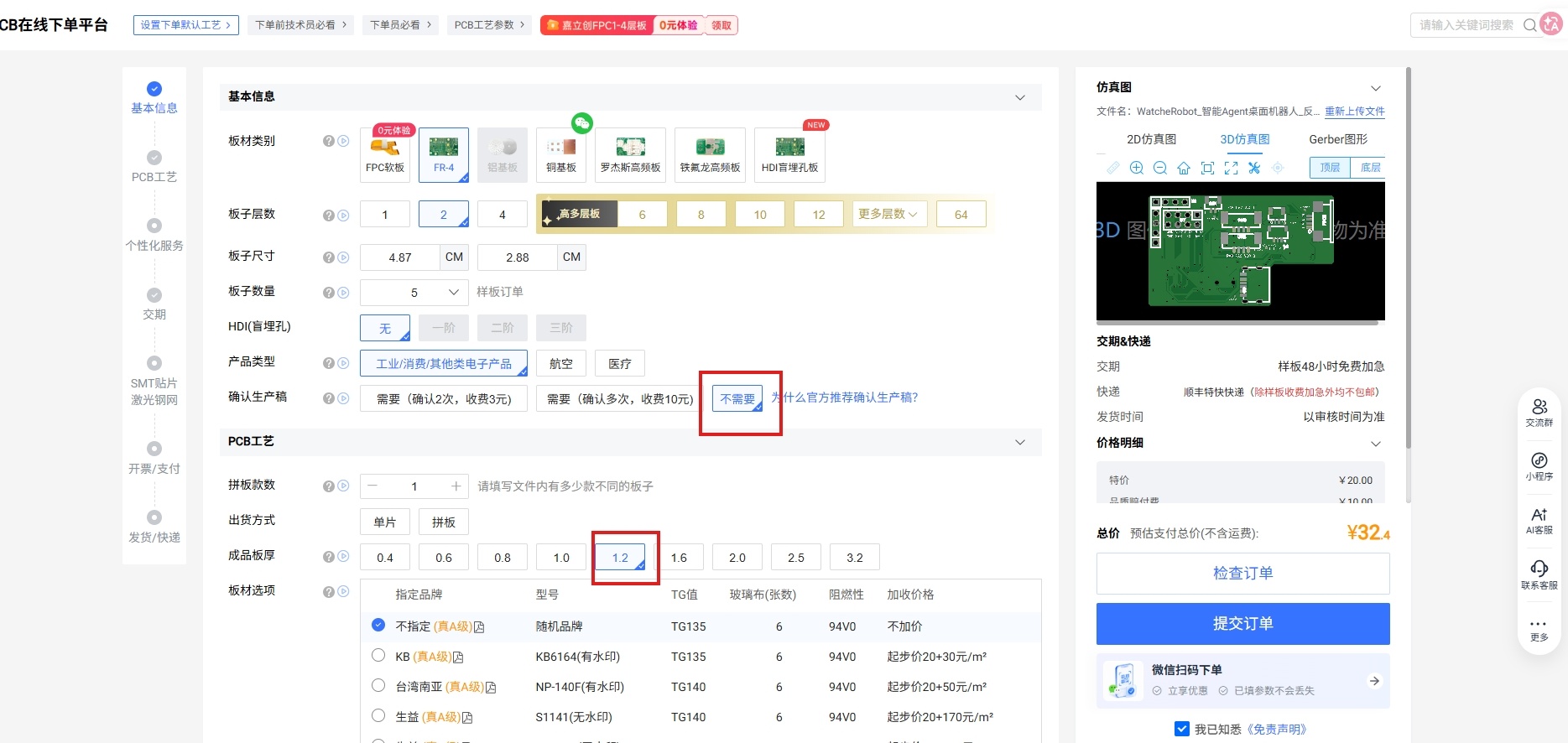
For factory assembly, select SMT, click “提交pcb订单,去下smt”, review the order, and choose “确认并提交”. The PCB order produces bare boards only; continue below for SMT. Stop at bare-board ordering if you will solder everything yourself.
For a first order or modified design, consider retaining production-file approval. Use the platform's current prices, stock, and lead times.
3. Order SMT assembly
Choose the quantity and assembly sides, then click “下一步,BOM匹配选型” (BOM matching). The example shows five boards with both sides assembled; agree on DFM and stencil review with the manufacturer as needed.
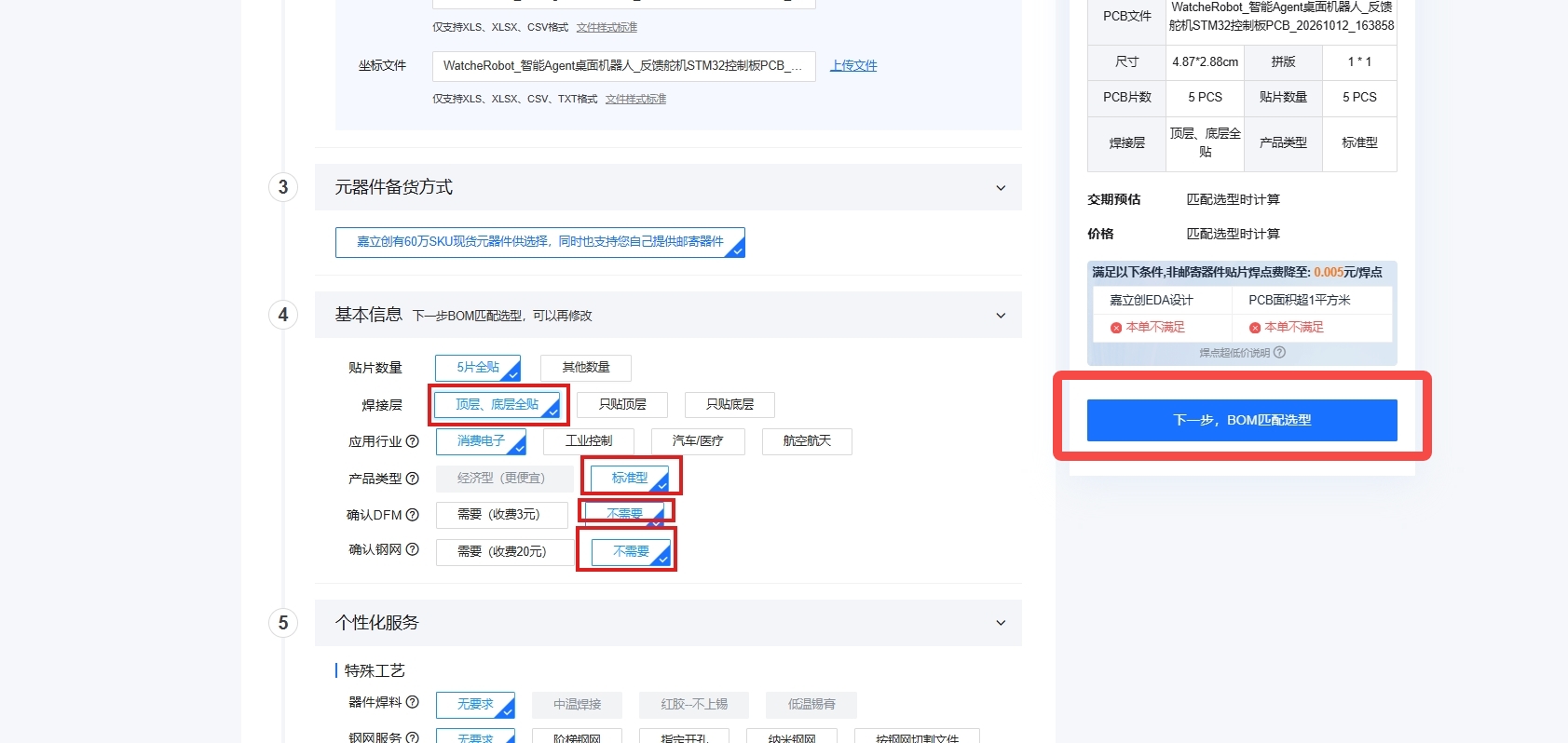
Use Gerbers, BOM, and placement files from the same revision. Check component models, packages, quantities, and polarity, and confirm compatibility before substituting unavailable parts. Review the quotation and delivery details, then submit the SMT order. For partial assembly, source and solder the remaining parts yourself.
4. Inspect and assemble
Check for wrong or missing parts and soldering issues. With power disconnected, check for abnormal shorts, then continue to assembly and wiring.
For the complete ordering screenshots, see the Feishu PCB tutorial (Chinese).